
Feature · Tray AI
Ask questions and prepare invoices with Tray AI.
Get a clearer view of your invoices, payments and expenses by asking questions in everyday language. Tray Bot can also prepare draft invoices for you to review before anything is sent.
- Ask about unpaid invoices, outstanding balances and recorded VAT.
- Describe an invoice in plain English and review the draft.
- Nothing is emailed until you approve the client, amount and recipient.
- Answers are limited to the data you can access in your current workspace.
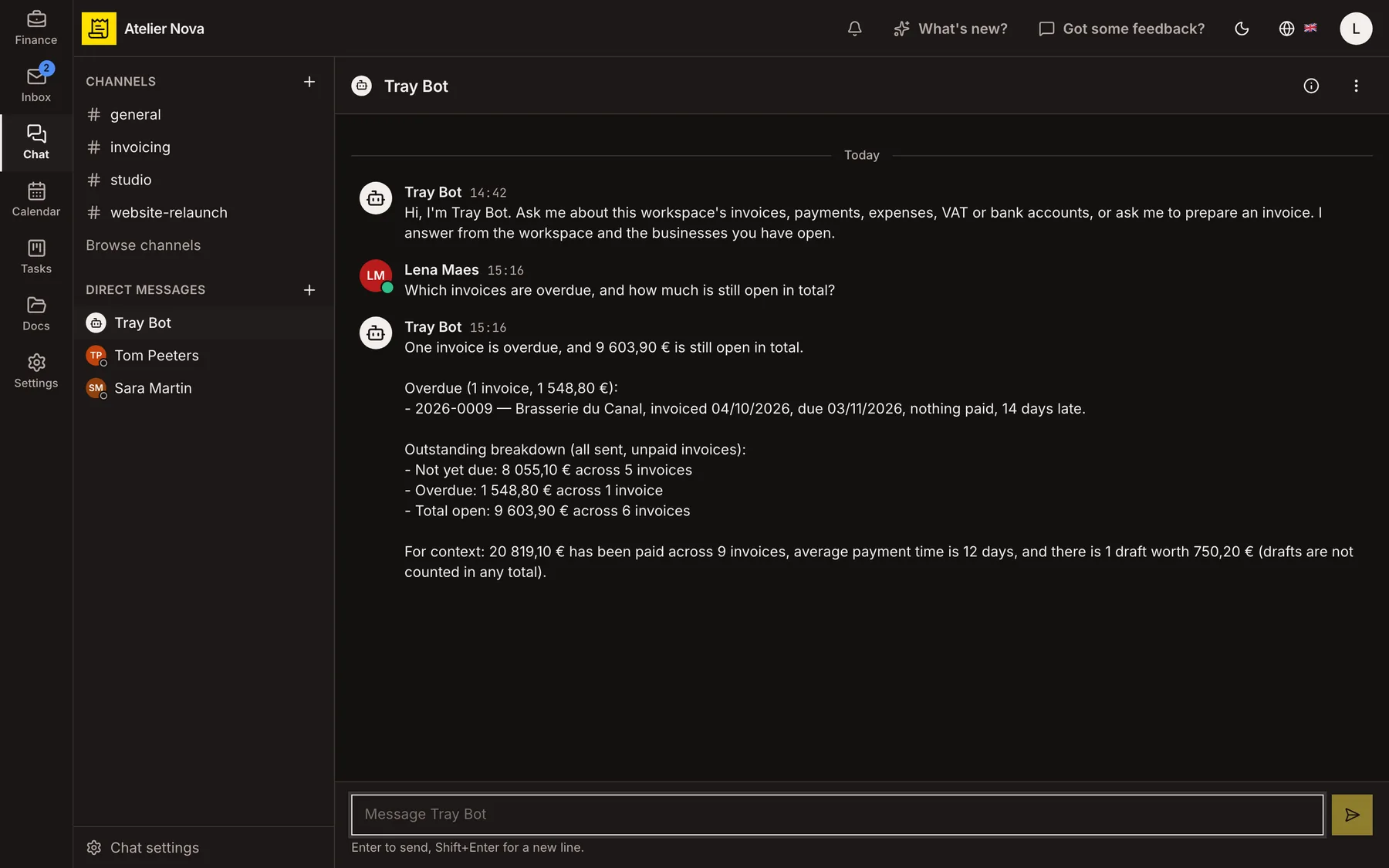
Which invoices are overdue, and how much is still outstanding? One invoice is overdue, and €9,603.90 is still outstanding in total. Overdue, 1 invoice: €1,548.80. Not yet due, 5 invoices: €8,055.10.
How it works
Ask questions in everyday language
Ask about overdue invoices, customer balances, sales by period, recorded payments or expenses. If you use Banking, you can also ask about connected balances and transactions, subject to your access rights.
Export answers when you need them
Where an answer is presented as a table, use the export options under it to save or share it as XLSX, CSV, PDF or JPG.
Describe an invoice instead of filling every field
Tell Tray Bot what you need to invoice. It asks for missing details, can reuse information from previous invoices where available, and prepares a draft for you to inspect.
Approve before sending
Confirm the customer, amount and recipient before Tray Bot sends an invoice by email. Existing access permissions still apply: users with read-only access cannot use the assistant to create or change invoices.
Use AI in other parts of the workspace
Tray AI can help extract data from receipts, prepare invoices from customer emails and draft email replies. Review proposed actions and content before saving or sending.
Keep answers within your permitted workspace
The assistant uses the active workspace and the businesses and modules you are allowed to access. You can ask questions in the language that is most natural to you.
Tray AI generates answers using AI and may make mistakes. Tax-related answers are general information, not professional tax advice. Check important figures before relying on them. Usage limits may apply.
See it in action
Explore more features
Ready to send your next invoice?
Create your account, add your business details and prepare your first invoice.
No credit card required to get started.