
Feature · Banking
Match bank payments to the right invoices.
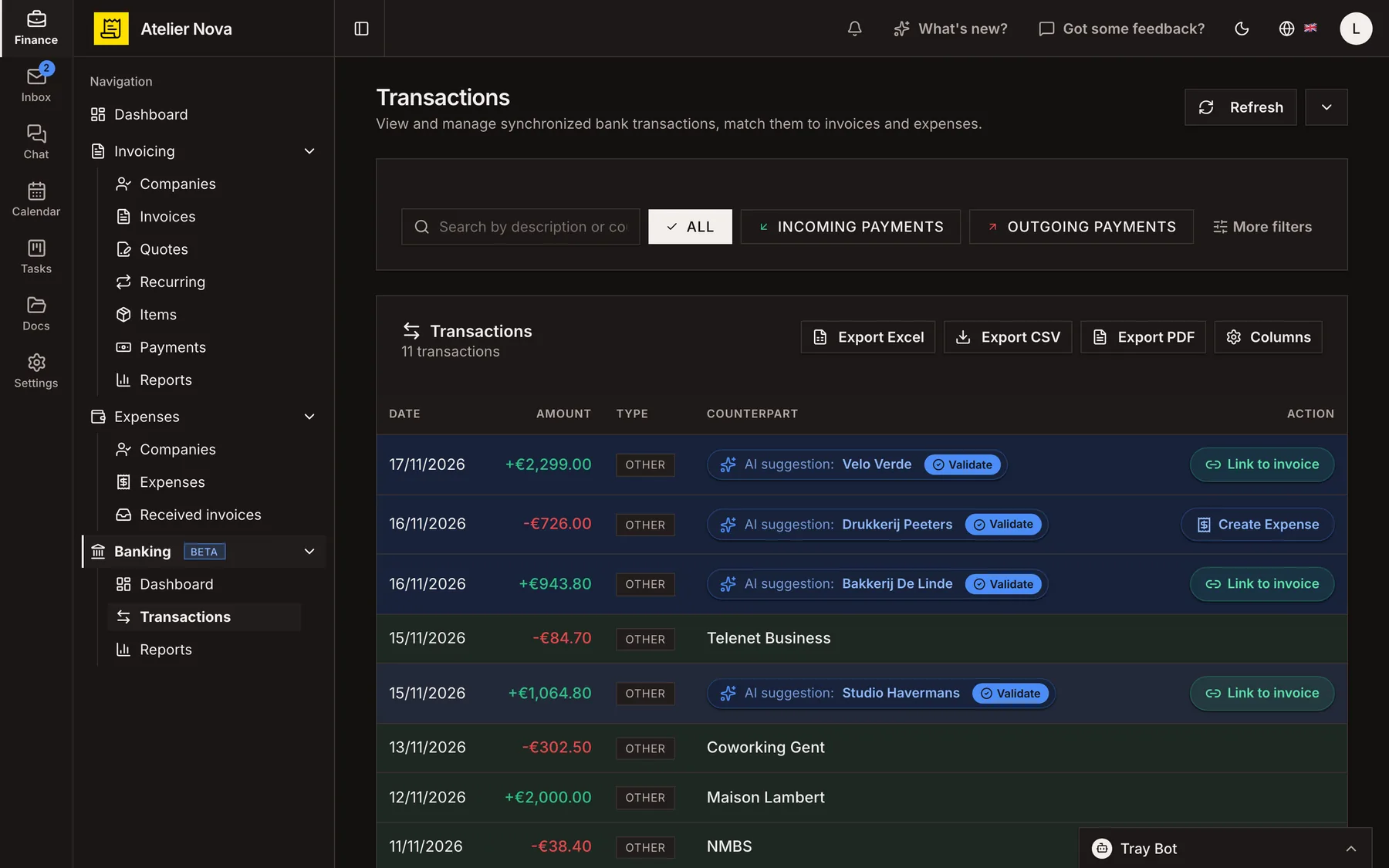
Bring supported bank transactions into your workspace, review suggested matches and link payments to invoices. Turn outgoing transactions into recorded expenses without retyping the same details.
- Match suggestions based on names, IBANs and payment references.
- Record a payment on the right invoice once you approve the match.
- Create expenses from outgoing bank transactions.
- Connect through Bridge without sharing your banking credentials with Invoice Tray.
Money received
+€2,299.00
Velo Verde
Suggested match
Invoice 2026‑0015
Invoice marked as paid
Reminders stop
Money sent
-€726.00
Drukkerij Peeters
Create expense
Supplier identified
Expense recorded
Linked transaction
How it works
See balances and recent transactions
Keep an overview of connected accounts, money in and money out. Transactions are synchronised from supported banks, and you can request an update when you need the latest figures.
Review suggested customer matches
Invoice Tray compares names and IBANs to your customer records and may suggest a match with a confidence indicator. Approve the suggestion, select a different contact or create a new one.
Link incoming payments to invoices
Choose the relevant invoice and record the incoming payment. The invoice balance and payment status update, and payment reminders stop when the invoice is paid according to your settings.
Record expenses from outgoing payments
Convert an outgoing transaction into an expense with its supplier and category. The expense remains linked to the bank transaction. Internal transfers between your own accounts can be left out.
Connect securely through Bridge
The bank connection is provided through Bridge. You authenticate directly with your bank; Invoice Tray does not receive your bank login credentials. Access permissions require periodic renewal, and the app prompts you when action is needed.
You can also add a bank account manually to display its IBAN on invoices. Manually added accounts do not synchronise transactions.
See it in action
Explore more features
Ready to send your next invoice?
Create your account, add your business details and prepare your first invoice.
No credit card required to get started.