
Feature · Invoicing
Create invoices and stay on top of payments.
Build an invoice with a live preview, then send it by email or, where supported, through Peppol. Issued invoices keep their original details, while payment tracking shows what is still due.
- Use different VAT rates on individual invoice lines.
- Send by email, through Peppol or both, where supported.
- Choose English, French or Dutch for each invoice PDF.
- Manage recurring invoices, credit notes and an item catalogue.
How it works
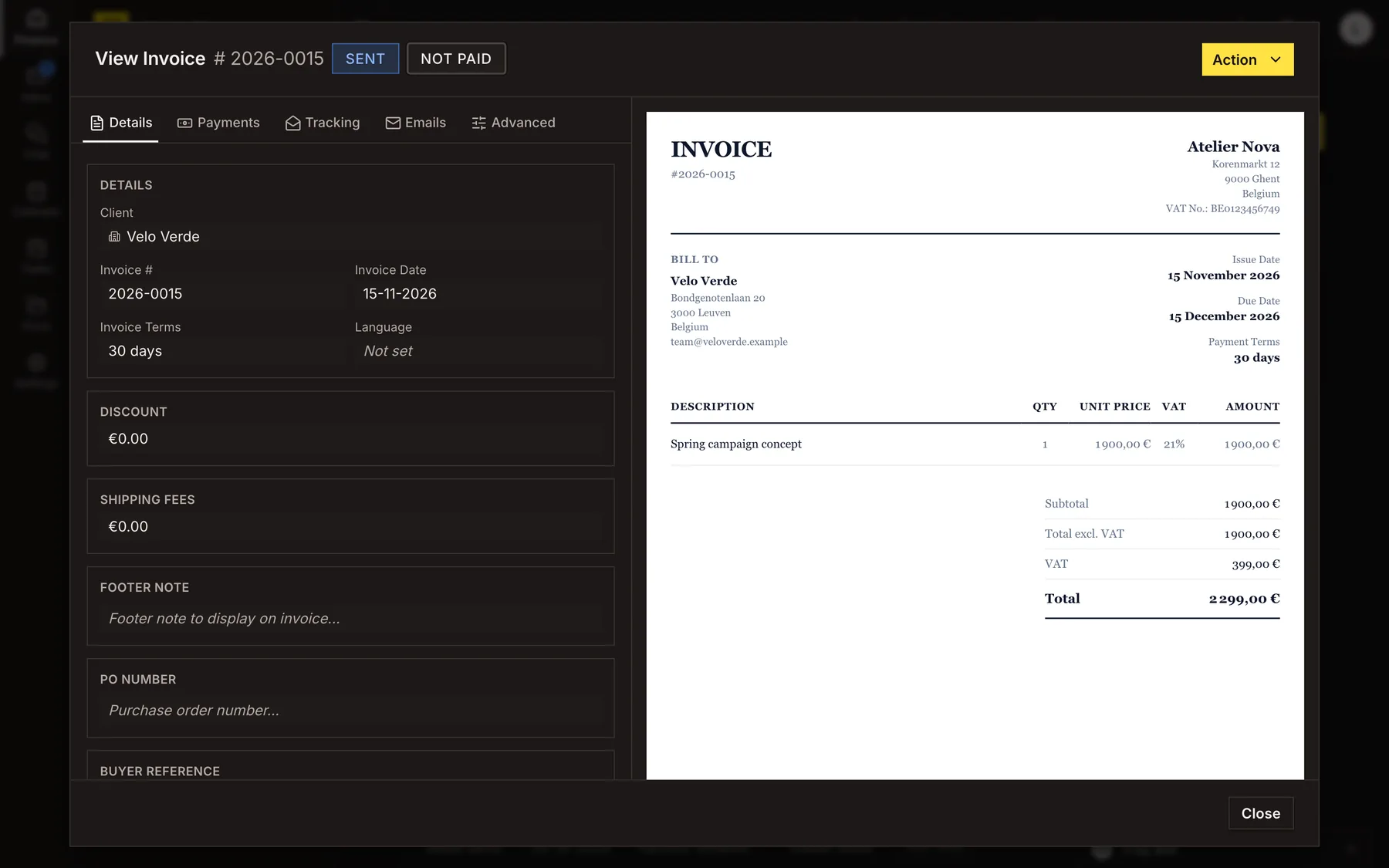
Build the invoice with a live preview
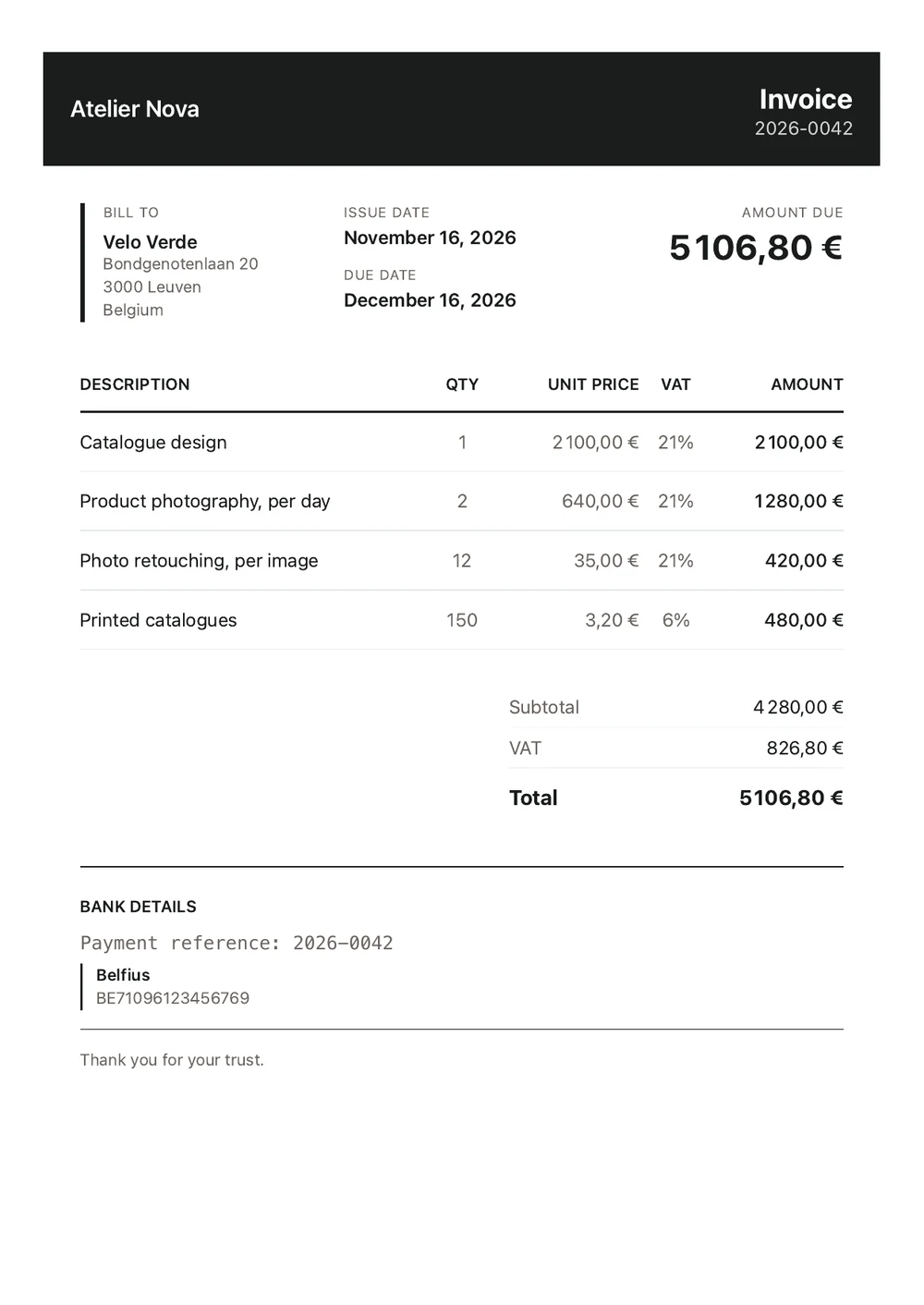
Add products or services from your catalogue or enter them directly. Reorder lines, update quantities and prices, and set a VAT rate for each item. The preview reflects the document your customer will receive. Discounts and delivery charges are allocated across the lines before VAT is calculated.
Choose your numbering and payment terms
Set up an invoice number format with a prefix, date elements and a sequence. Draft numbers remain provisional until you send the invoice. Choose from the payment terms available in your workspace, including 7, 14 or 30 days and 30 days from the end of the month.
Send by email or through Peppol
Use the invoice's chosen language for the email. Send from an authorised address and include the PDF or a download link. For eligible Belgian customers on Peppol, you can also send the structured e-invoice and view its delivery status.
Track delivery and record payments
Review email delivery, opens and PDF downloads when tracking is enabled. Record full or partial payments against the invoice to see the amount paid and the outstanding balance.
Set up recurring invoices
Choose how often an invoice repeats, from weekly or monthly to a custom interval. Each occurrence can be created as a draft for review or sent automatically, depending on the settings you select.
Correct issued invoices with credit notes
Once issued, an invoice keeps its original contents. If you need to correct all or part of it, create a credit note with its own number and a reference to the original invoice.
Peppol sending through Invoice Tray currently supports Belgian businesses invoicing customers in Belgium. For customers outside Belgium, invoices are currently sent by email.
See it in action
Explore more features
Ready to send your next invoice?
Create your account, add your business details and prepare your first invoice.
No credit card required to get started.