
Feature · Receipt scanning
Turn receipts into expenses, with AI assistance.
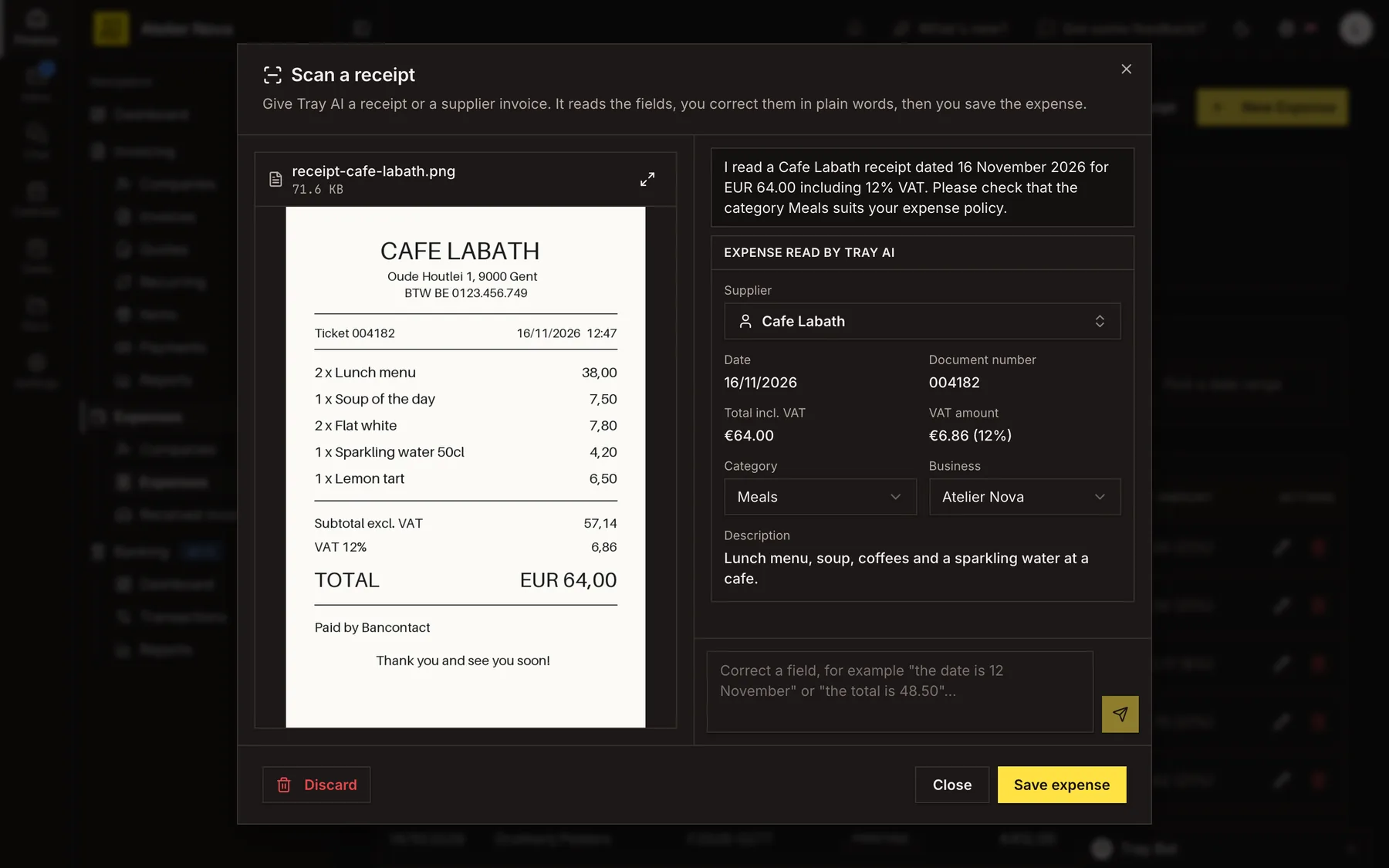
Upload a photo or PDF of a receipt. Tray AI reads the details and prepares a draft expense, highlighting anything that needs checking. Nothing is saved until you approve it.
- Fields that need checking are clearly flagged.
- Correct details in everyday language, such as "The total is €48.50".
- Keep the receipt attached to its expense in Documents.
- Get a warning about potential duplicate receipts or expenses.
Read by Tray AI
- Supplier
- Cafe Labath
- Date
- 16 Nov 2026
- Total including VAT
- €64.00
- VAT
- €6.86 (12%)
- Category
- MealsNeeds review
Save expense
How it works
Upload a photo or PDF
Start a receipt scan with JPEG, PNG, WebP or PDF files. You can add up to five files per scan, each up to 10 MB, with up to 10 pages per PDF.
Review the extracted details
Tray AI suggests a supplier, date, document number, total, VAT, category, business and description. Information that needs checking is flagged clearly; fields that could not be read are identified too.
Make corrections in plain language
If something is wrong, write a short correction such as "The date is 12 November" or "The total is €48.50". You can also change the supplier, category or business directly in the suggested fields.
Approve before saving
Check the draft and select Save expense when the required information is complete. The document is then stored with the new expense. Information printed on an uploaded receipt does not trigger actions on its own.
Avoid duplicate entries
You receive a warning if the file is already stored or if an expense with matching details exists. You can review the result before deciding whether to continue.
Return to unfinished scans
Leave an unfinished scan and come back to it from the Expenses page. Unfinished scans are removed after seven days.
Amounts on documents in another currency are not converted automatically. Enter the amount actually paid where required. Receipt scanning requires access to Tray AI.
See it in action
Explore more features
Ready to send your next invoice?
Create your account, add your business details and prepare your first invoice.
No credit card required to get started.