
Teamwork · Shared inbox
Handle business email together, without losing context.
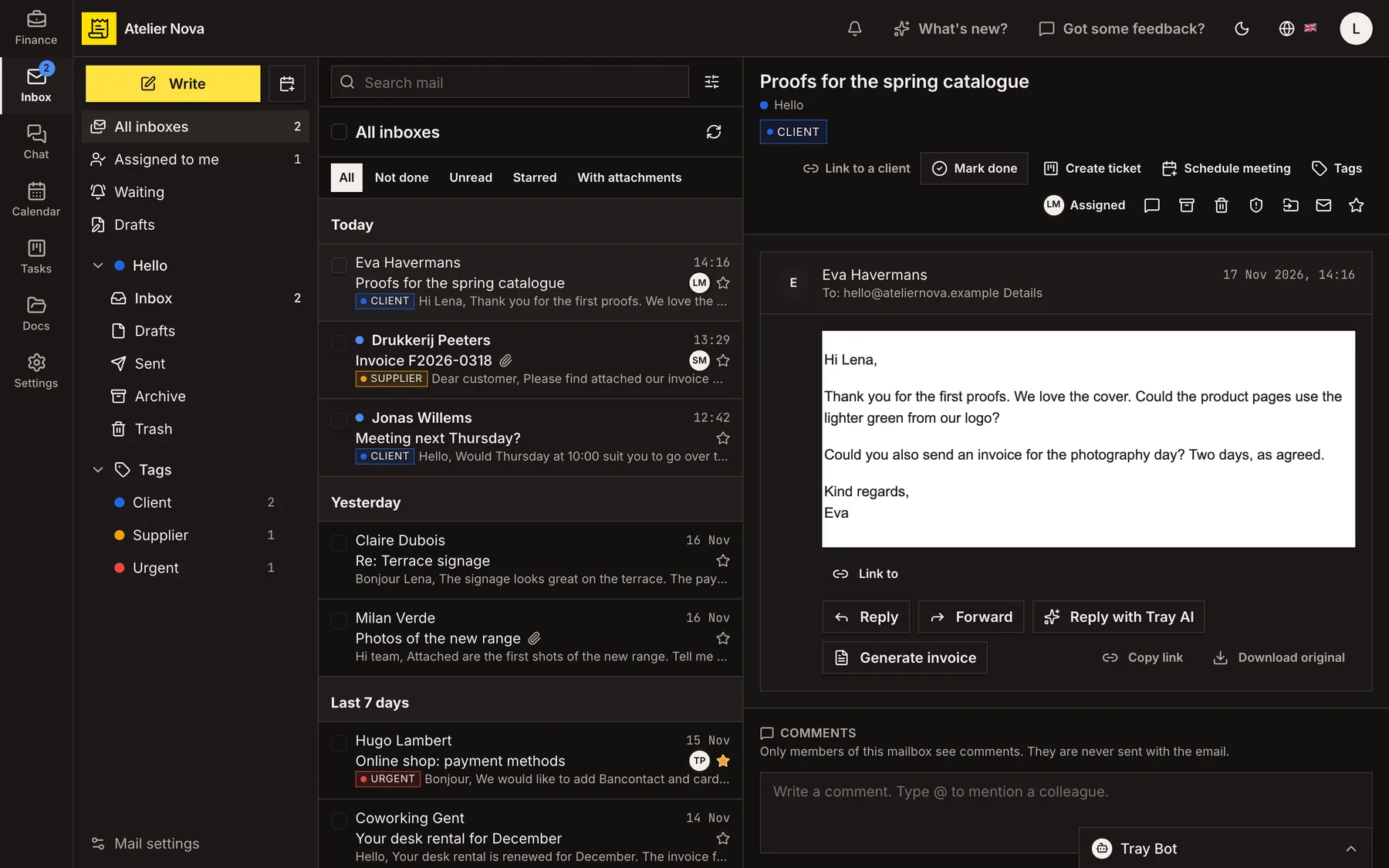
Give your team one place to manage shared email. Assign conversations, add internal notes and connect messages to the customers, invoices and tasks they concern.
- Assign emails to teammates and add internal comments.
- Turn a customer email into a draft invoice or a task.
- Save attachments directly to Documents.
- Use filters to organise incoming mail and Tray AI to draft replies.
Customer email
Arrives in the shared inbox
Assign to teammate
Prepare invoice
Create task
Save attachment
How it works
Bring shared mailboxes into one place
Connect a supported mailbox, then choose who can access it and send from it. View messages from several mailboxes together, or focus on conversations assigned to you.
Make ownership clear
Assign conversations to teammates and add internal comments or mentions. Mark a conversation as done when it is handled; a new customer reply can reopen it. Internal comments are not sent to customers.
Turn messages into next steps
Use a customer email to prepare an invoice draft, create a board task or schedule a meeting. Keep a link to the original conversation so the context is available.
Keep customer conversations connected
Link a message to a business contact, invoice or expense. Colleagues who can access the related record can find the linked conversation there, subject to the application's permission rules.
Reply using your business address
Send messages from the connected mailbox or an available alias, using the right signature. Attach a document or invoice PDF directly from your workspace. After sending, you have a short window to take back a message.
Sort incoming mail with rules
Set up filters to assign, tag, move or archive messages, and create tasks from selected emails. Tray AI can help prepare a filter or draft a reply for review.
You can connect Gmail, Google Workspace, Yahoo and mailboxes supporting IMAP and SMTP. Outlook, Microsoft 365 and Hotmail mailboxes are not currently supported for direct mailbox connections.
See it in action
Explore more features
Ready to send your next invoice?
Create your account, add your business details and prepare your first invoice.
No credit card required to get started.