
Teamwork · Documents
Store business documents where you can find them.
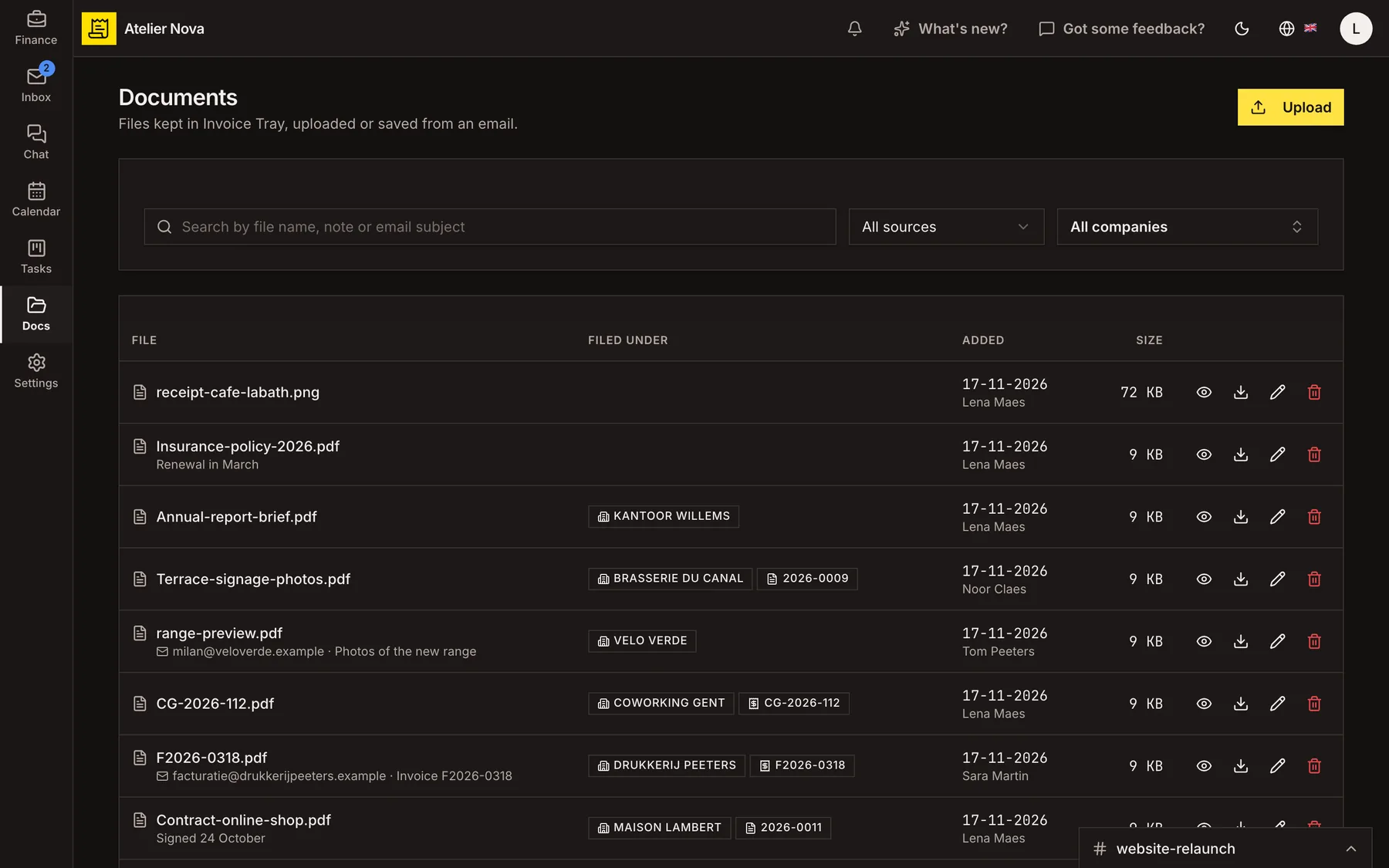
Keep contracts, receipts and supplier files together, and link each document to the business, invoice or expense it relates to. Your team can find the right file without searching through separate inboxes.
- Upload files up to 20 MB or save attachments from email.
- Attach stored documents when composing an email.
- Keep supplier PDFs received through Peppol.
- Search by filename, note or email subject.
How it works
Bring documents into your workspace
Upload a file, save an attachment from a connected email or receive a supplier document through Peppol. Keep the original file available alongside the records that matter.
Link files to related records
Connect a document to a business contact, invoice or expense, and add a note when it needs context. Open the linked record directly from the document list.
Search without digging through folders
Find files by name, notes or email subject. Filter documents by their source or the business they belong to.
Attach existing files to emails
Choose a stored document or invoice PDF when writing an email, without downloading and uploading it again.
Preview and manage stored files
Open PDF and image previews in your browser, download files when needed and review duplicate-file warnings before saving another copy.
A file can be up to 20 MB. Executable programs and scripts are not accepted.
See it in action
Explore more features
Ready to send your next invoice?
Create your account, add your business details and prepare your first invoice.
No credit card required to get started.